Generative AI for Content & Copywriting


Generative AI, or GenAI for short, describes the artificial intelligence tools developed to create original content, such as text, images, audio or video, by learning patterns from existing data.
It might sound technical, but in today’s world of content and copywriting, where everyone wants more, these tools can do a lot of the heavy lifting.
We’ve put together this generative AI guide with everything you need to know, plus the best tools of the trade.
Statistics on adoption & use
When you experience the possibilities for yourself, it’s really no surprise that gen AI has become a staple in modern marketing and creative work. More and more companies and creators are jumping on board, using these tools to rethink how they make content for maximum results.
And the stats don’t lie:
- Right now, about 78% of organisations use AI in at least one area of their business, up from 55% the year prior; one of the fastest technology adoption rates in decades.
- Australia is a leading AI market in the Asia-Pacific region, with the AI sector forecasted to grow at 28.55% annually through 2030. By 2028, we expect digital technologies, including AI, to contribute AUD 441 billion to the economy
- According to PwC’s 2025 Global AI Jobs Barometer, AI is making workers more valuable and productive, meaning they can also expect higher wages.
- AI is now ubiquitous, used by all Fortune 500 companies and embedded in 77% of consumer devices globally.
- In the coming year, enterprises are planning to increase their investment in areas such as AI to enhance workforce productivity.
Generative AI is shaking up the way brands create content. Now it’s not just about planning and writing, it’s about finding the right tools to help you craft copy that truly grabs people.
Best generative AI for content creation
Gen AI SEO is already making waves, helping businesses to create, optimise and scale SEO content without sacrificing brand voice or ranking potential. That’s one less thing for marketers to stress over, but what about when it’s time to write a blog post, knock out some ad copy, create killer visuals or pull together a whole marketing campaign?
To make it simpler, we’ve created a list of some powerful AI content generation tools that you can add to your marketing toolkit.
ChatGPT
The difference between simple digital tools and true intelligent automation that drives performance and efficiency relies on 7 factors:
What it is & key features
- OpenAI has developed a conversational AI based on the GPT models.
- Generates text: blog drafts, social posts, email copy, Q&A, creative prompts.
- Supports context-aware responses (you can have a back-and-forth conversation).
- Offers image generation (via integrations) and plugin capabilities in some plans.
Example use-case
- You want to crank out a first draft of a blog post, then refine tone and structure quickly with the AI’s help.
Starting price / free version
- There is a free version with limited usage.
- Paid plan ‘Plus’ AU $29.99/month for more model power and features.
Customer feedback trend
- Generally positive. Users appreciate its versatility and ease of use.
- Some criticism around accuracy, factual reliability and cost for heavy usage.
Google Gemini
What it is & key features
- An AI model suite from Google LLC with text, image and multimodal abilities.
- Offers advanced reasoning, coding help and image generation in some tiers.
- Integrates with Google ecosystem (Drive, Docs, etc.).
Example use-case
- Your marketing team needs a tool that can generate creative concept ideas, pull data or research and produce copy along with visual briefs in one workflow.
Starting price / free version
- Free tier offers limited access through Google AI Studio.
- Paid tier Gemini Advanced AU $32.99/month offers more features and capabilities.
Customer feedback trend
Creatify
What it is & key features
- A platform focused on AI video creation and ad generation.
- Transforms product URLs into video ads, text-to-video, avatar creation, templates.
- Designed for fast production of marketing videos from assets you already have.
Example use-case
- You run an e-commerce brand and need 15-30 second video ads for social media every week.
- Creatify can take your product info and auto-generate ads.
Starting price / free version
- Free, 10 credits per month.
- Paid plans ‘Starter’ US $19/month and scale up ‘Pro’ US $49/month or ‘Enterprise’ (custom pricing depending on features).
Customer feedback trend
Synthesia
What it is & key features
- An AI video-creation platform with realistic avatars and voice-overs.
- 140+ languages supported, choose avatars, backgrounds, customise video, script-to-video.
- Collaboration features and branding templates.
Example use-case
- Your training business needs to produce multi-language explainer videos and you don’t want to film presenters in every language.
Starting price / free version
- Free plan with limited usage (e.g., 3 minutes' worth of video per month)
- Paid plans ‘Starter’ US $18/month (billed annually) and scale up ‘Creator’ US $64/month or ‘Enterprise’ custom pricing depending on features.
Customer feedback trend
- Users like the automation and avatar realism.
- Some note that avatar nuance (especially emotional expressions) still lags live-action and that lower tiers limit video minutes.
DALL-E
What it is & key features
- AI image generation tool from OpenAI.
- Text-to-image, style transfer, high-resolution output, batch generation, image editing via prompts.
Example use-case
- You need custom visuals for a campaign but don’t have the budget for a full photoshoot: you generate concept images, tweak style, then hand off to a designer.
Starting price / free version
- Accessible via ChatGPT Plus subscription or enterprise.
- Free users have a daily limit on image generation.
- Users have higher capabilities, greater flexibility and additional features, depending on the subscription plan.
- ‘Starter’ US $4.99, ‘Gold’ US $9.00 and ‘Platinum’ US $14.
Customer feedback trend
- Very favourable for image quality and prompt ease.
- Some users mention the cost for high-volume use and occasional weird outputs if prompts are vague.
Midjourney
What it is & key features
- A creative-focused AI image-generation tool, popular for artistic and high-quality visuals.
- Features include text-prompt to art, styles/parameters, multiple aspect ratios, community or customisation via Discord.
Example use-case
- Your creative agency needs moodboard visuals or concept art for a campaign quickly.
- You want to achieve a distinct art direction look.
Starting price / free version
- Plans start at ‘Basic’ US $10/month (US $8/month annually), ‘Standard’ US $30/month (US $24/month annually), ‘Pro’ US $60/month (US $ 48/month annually), ‘Mega’ US $120 (US $96/month annually).
Customer feedback trend
- Highly rated (4.7-4.9/5) for image quality and creative potential.
- Some learning curve for prompt-crafting and limitation in commercial-use rights unless properly licensed.
Surfer SEO
What it is & key features
- A content-optimisation tool focused on SEO and AI assistance.
- Features a content editor with AI suggestions, SERP analysis, content audit, keyword and structure guidance for high-ranking pages.
Example use-case
- You manage a blog and want your article to hit page 1 of Google; you use Surfer to analyse top pages and optimise your content accordingly.
Starting price / free version
- Plans start at ‘Essential’ US $79/month (billed annually), ‘Scale’ US $175 (billed annually) and ‘Enterprise’ from $999/month (billed annually).
Customer feedback trend
- Users value the data-driven insights and tangible SEO uplift.
- Some say it’s pricey for smaller teams and still requires human editing.
Jasper AI
What it is & key features
- An AI writing assistant geared for marketing teams and brands.
- Features long-form blog generation, marketing copy templates, brand voice control, integration with SEO tools (e.g., Surfer).
Example use-case
- Your agency has to produce multiple blog posts, ad copy and landing-page drafts each week, Jasper helps automate much of that.
Starting price / free version
- No permanently free tier, though a 7-day trial is available.
- Pricing for ‘Pro’ US $69/month (US $59/month billed annually) and for many of the unlimited features, ‘Business’ is available under custom pricing.
Customer feedback trend
- Strong reviews (4.8/5), especially for marketing copy and workflow efficiency.
- Some criticise the cost and that heavy editing is still needed for niche topics.
Copy.ai
What it is & key features
- AI writing tool focused on marketing copy, blogs, e-commerce, social media.
- Features: 90+ templates (e.g., blog intros, product descriptions, emails), multilingual support, custom workflows, collaboration.
Example use-case
- If you run a small e-commerce store and need to generate dozens of product descriptions and ad copy quickly, Copy.ai can automate that.
Starting price / free version
- There are some free tools available.
- Pricing for ‘Chat’ is US $29/month (US $24/month annually) and for ‘Agents’, US $249/month (US $211/month annually).
Customer feedback trend
- Mostly positive for ease of use and template variety.
- Some users say output needs editing and advanced features are reserved for higher tiers.
- Reviewers note affordability for small teams.
Canva AI Generator
What it is & key features
- Generative-AI tools integrated into the popular design platform Canva (text-to-image, design-automation, video, Magic Write).
- Magic Write (text generation), text-to-image or video, auto layout or design, brand-kit integration.
Example use-case
- You need to design social-media assets, blog visuals and short videos but don’t have a full design team. Canva AI lets you generate graphics and copy in one tool.
Starting price / free version
- Free tier includes basic AI features, ‘Pro’ plan AU $20/month for one person (AU $165/year for one person), ‘Business’ plan AU $27/month for one person (AU $270/year for one person) and ‘Enterprise’ is custom pricing.
- Visit the official Canva AI Image Generator page for the latest and most accurate pricing information.
Customer feedback trend
- Rated 4.7/5 in reviews.
- Users like accessibility and speed.
- Some are concerned about recent price hikes and feature restrictions.
How to research and write effectively using gen AI tools
Generative AI can be a powerful ally for writers and marketers, but it’s not a shortcut that does all the work for you. If you use it right, it can help speed up research, structure content better, polish tone and give you some great starting points. Used the wrong way, you can end up with content that’s boring, repetitive or just plain wrong.
From brainstorming and outlining to designing and refining content, gen AI tools can steer you towards a final piece that’s human, credible and true to your brand.
Here’s a quick generative AI guide for getting more out of these tools and working a whole lot smarter.
Understand what the gen AI tool can and cannot do
Before diving in, it’s important to figure out what your AI tool is actually good at and where it drops the ball. ChatGPT and Gemini are excellent at drafting ideas, summarising content and generating headlines or outlines, but they shouldn’t be trusted as final-draft writers. Every piece of content needs a human touch. You have to review, tweak and edit to make sure it’s actually good.
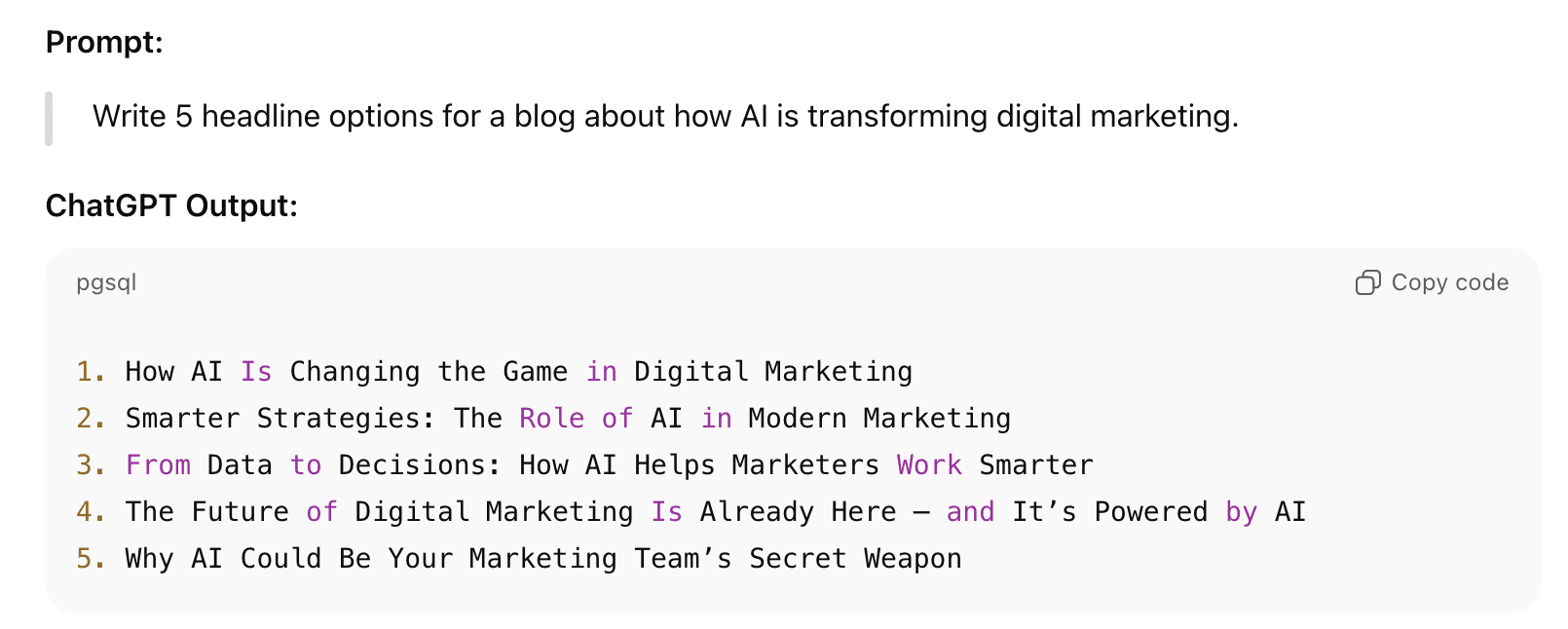
An example of a ChatGPT output.
How do you know if text is too AI-generated? You can usually spot AI-generated writing when it sounds flat, repeats itself or just doesn’t have any real-life perspective. Sometimes it over-explains the obvious or misses the little quirks that are what we appreciate in human writing.
Assess top-ranking content on Google SERPs
Content that performs really well often follows a certain structure or pattern. You can use Surfer SEO to analyse what’s currently ranking. Surfer gives you a window into the on-page trends and keyword density that matter. It hands you a starting point for your own structure, but you still get to put your spin on it.
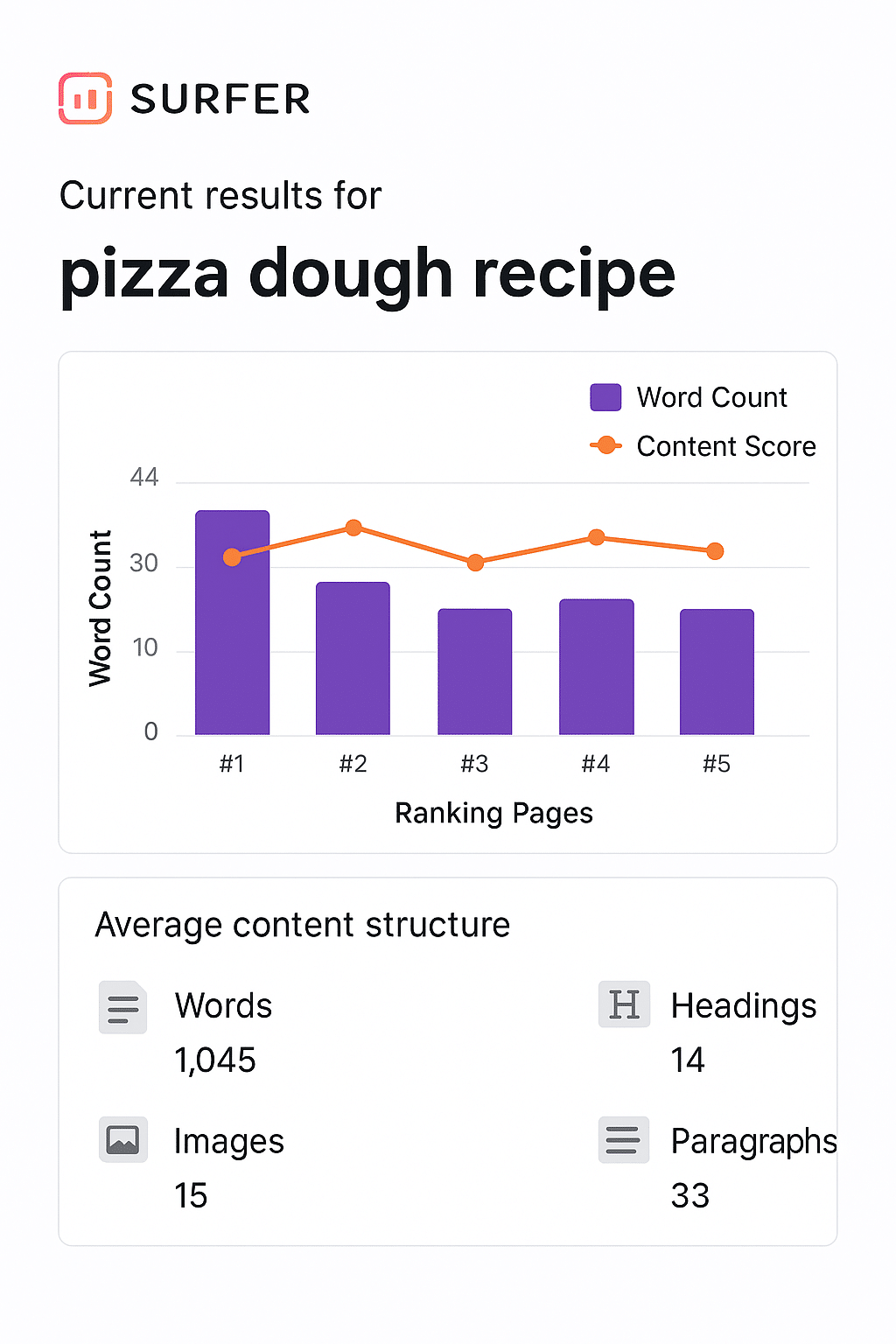
Note: This isn’t an actual screenshot of SurferSEO, it may look different. The image is for illustrative purposes only.
Get a baseline for word count
There’s no magic number for SEO word count. But if you check the average length for your topic, you’ll land in the sweet spot, both for readers and search engines. Just look up top-ranking articles with something like Surfer SEO, see how long they are and decide if you need to dig deeper or keep it snappy.
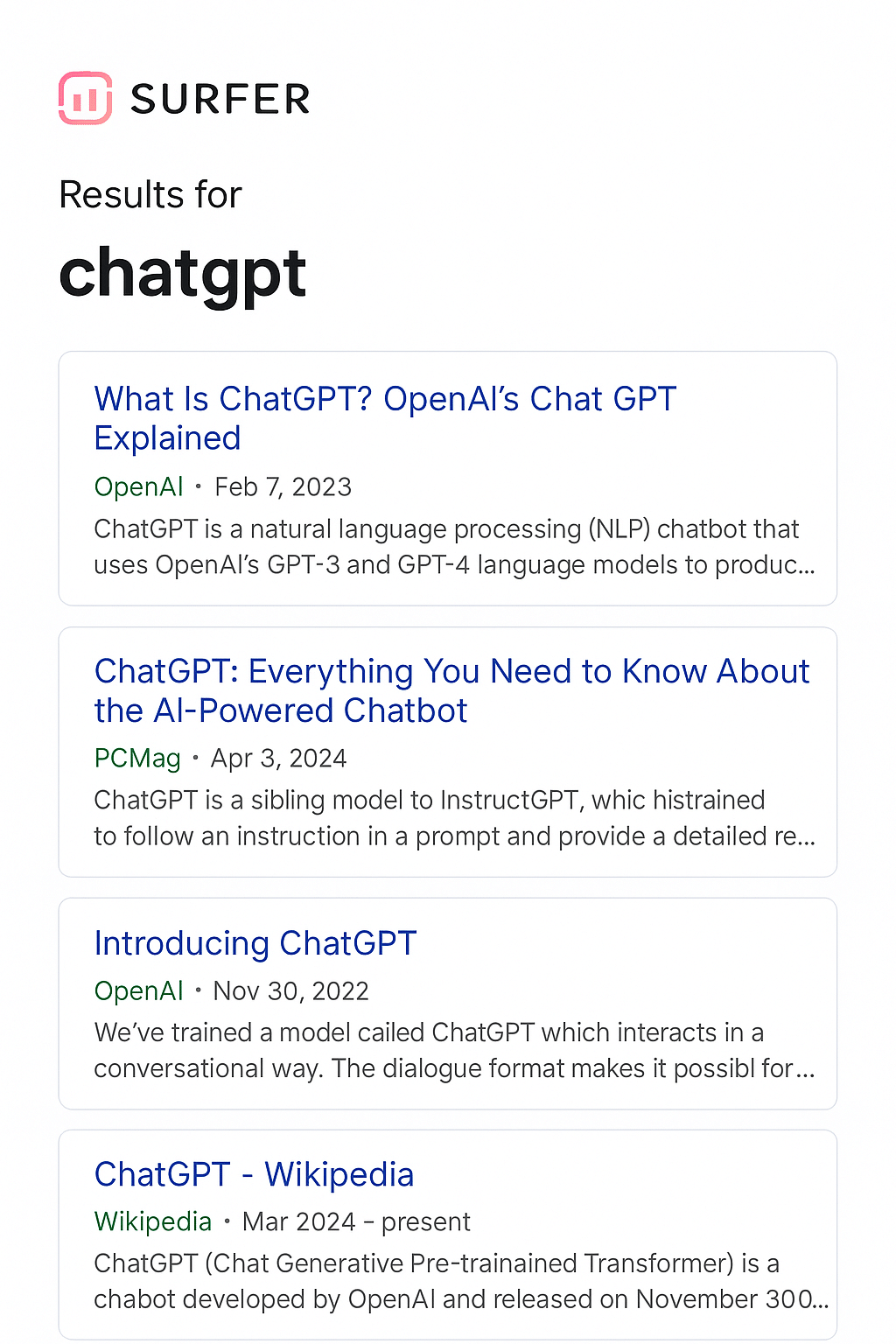
Note: This isn’t an actual screenshot of SurferSEO, it may look different. The image is for illustrative purposes only.
Use the appropriate tool for content extraction and outlining
Before you start writing, take a closer look at what’s already out there. Extract headings, subtopics and key ideas from existing pages to find opportunities that your competitors may have missed.
Jasper AI is handy for content outlining and brief creation. It pulls out the headings, structure and key sections from winning articles and suggests ways you can build something stronger and more cohesive.
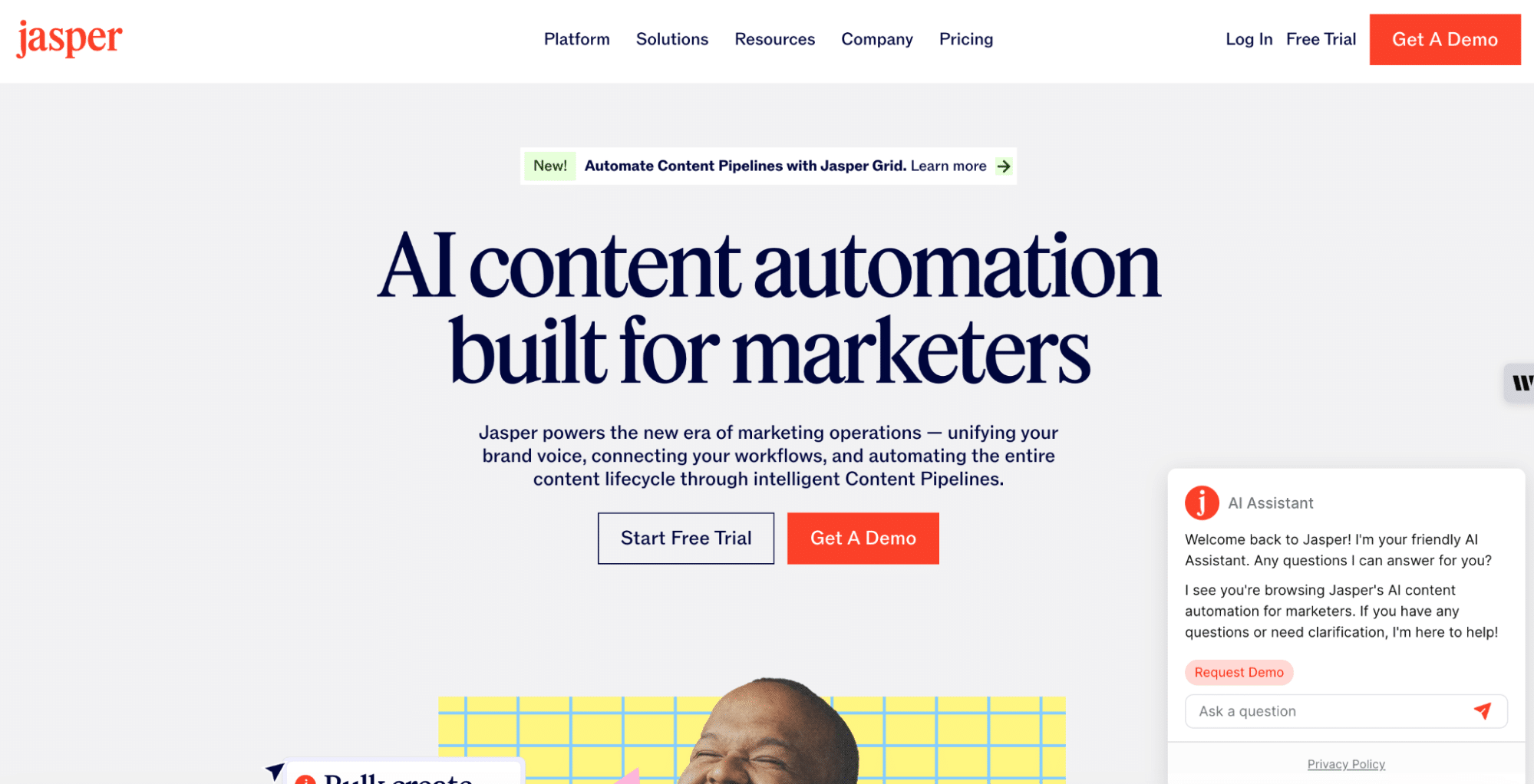
The homepage for Jasper AI.
Use keyword research to identify the proper keywords
Good keyword research isn’t just about cramming in terms. You want to understand what people are searching for and their intent behind those searches. Go for long-tail keywords; these are the real questions people are asking.
The ‘People Also Ask’ section on Google is a goldmine for finding questions. Surfer SEO can also align your keyword usage and content structure to ranking pages, so your content reaches a wider audience.
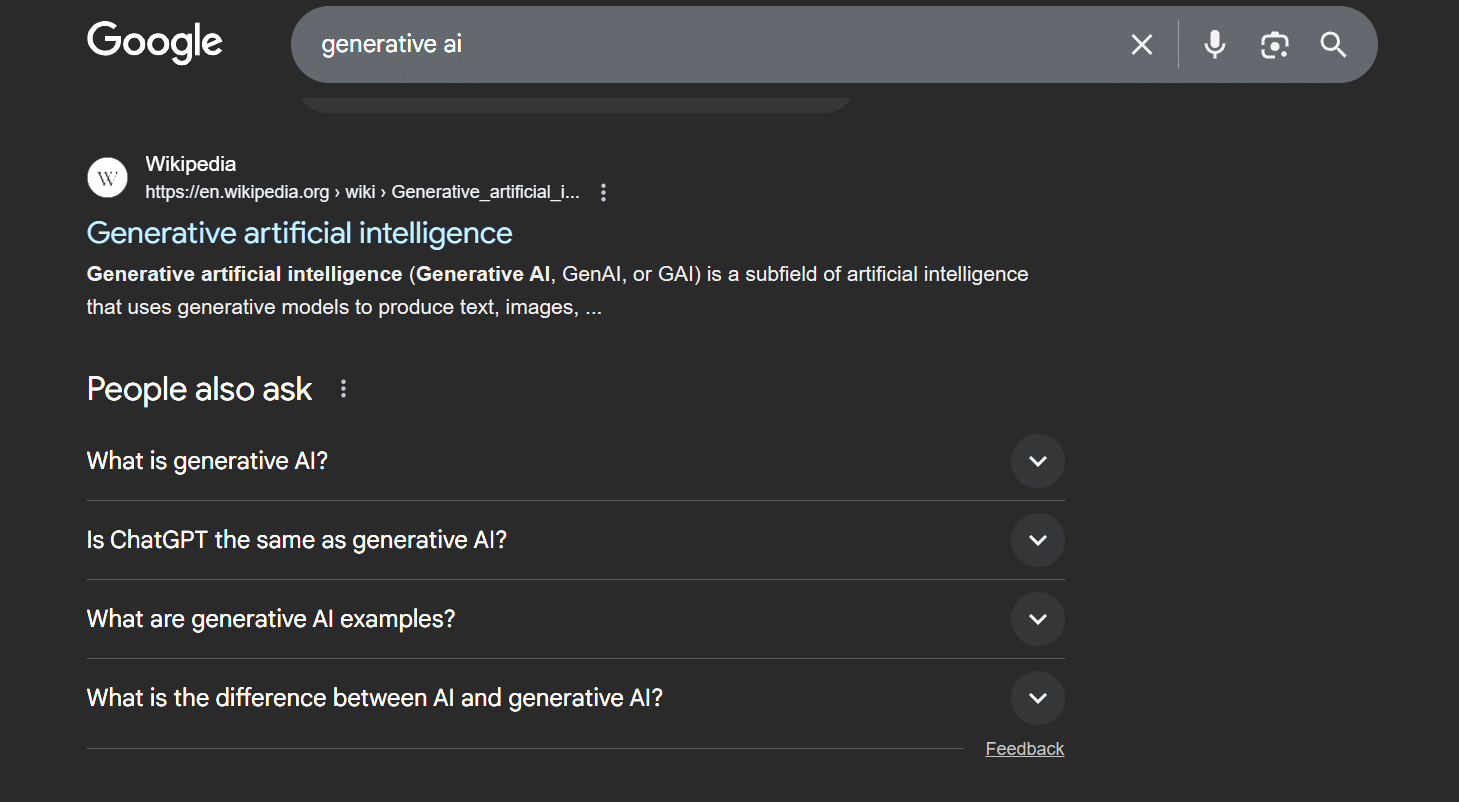
People also ask section in Google for the search term: ‘generative AI’.
Gather trusted sources
When it comes to research, don’t just turn to AI-generated facts. Cover all your bases by using AI tools to summarise and cross-check data from more reliable sources. With ChatPT, you can actually upload or paste sections of research papers, reports or articles to get concise summaries or just the stats you need. Gemini is also a master at summarising long academic or web-based documents, so you can integrate the insights naturally into your content.
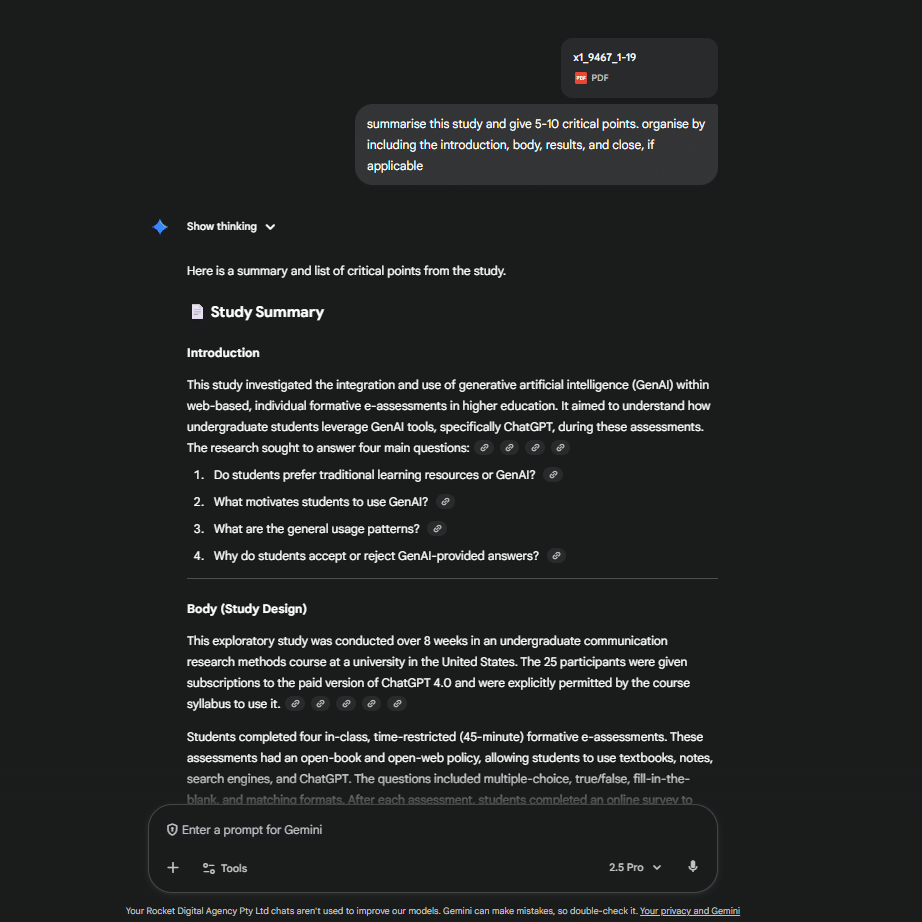
Gemini 2.5 Pro summarising an academic journal on generative AI.
Use LLMs to generate each section of your content
Create your content section by section rather than all at once. This gives you better control over tone, accuracy and structure. And remember, AI doesn’t always get it right.
Double-check any facts, ask for sources and add your own expertise to make the content unique and trustworthy. This is what takes that bland, generic writing and makes it into something fresh and engaging.
It also helps you avoid that obvious AI tone both readers and algorithms can spot a mile away. If you’re unsure about your draft, it’s worth learning how to know if a text is AI-generated so you can refine and humanise it before publishing.
With ChatGPT, the better your input, the better the output. Set up projects and be clear about tone, word choice and structure. It can also remember your brand voice and style, so you don’t have to start over each time.
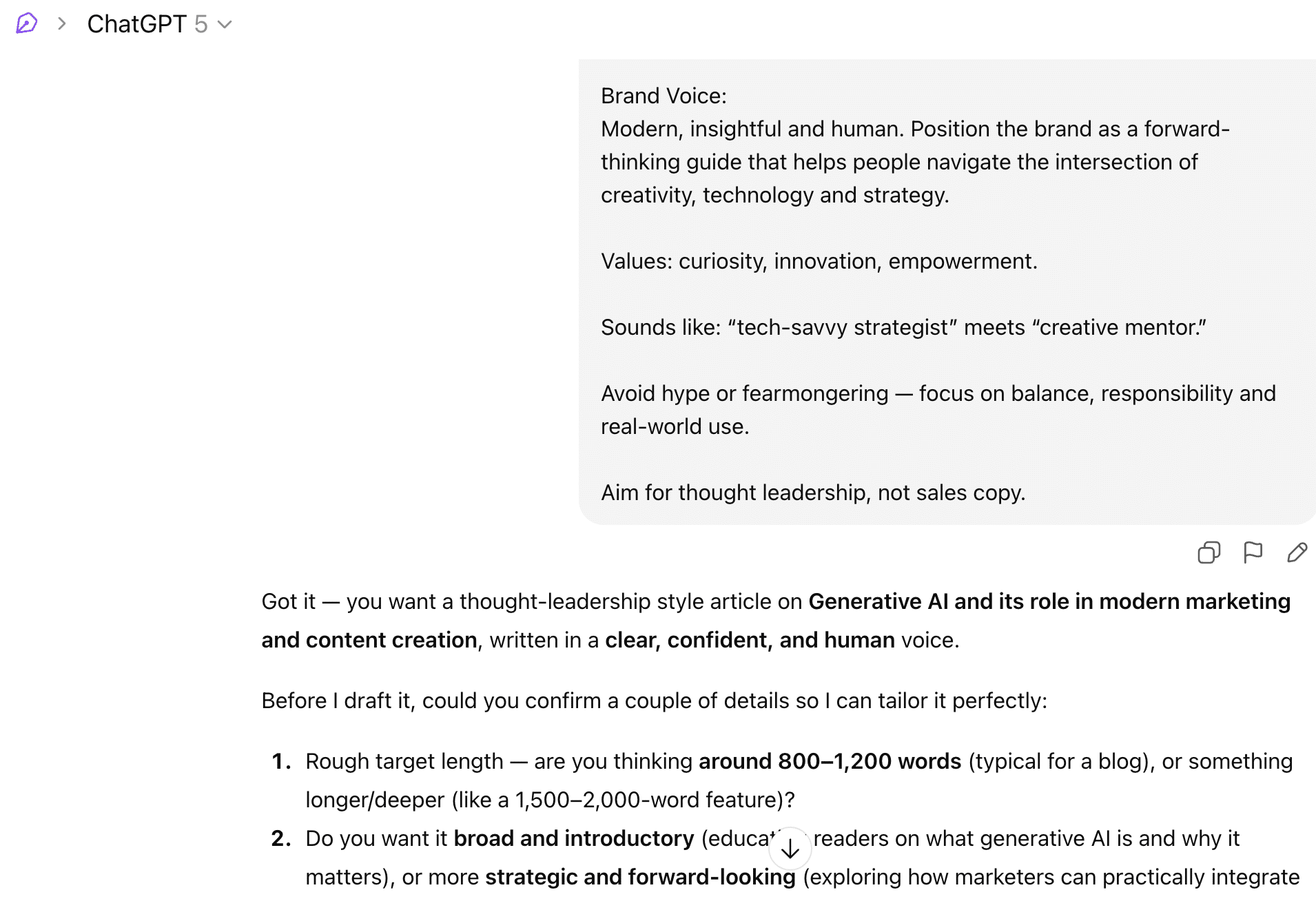
An example of setting up a project in ChatGPT.
Insert citations and evidence as you go
Whenever you drop a stat or make a claim, cite your source right there. It builds trust and shows both readers and search engines that you know your stuff.

Optimise the introduction and the close
Your intro should grab attention and promise what you’ll actually deliver. The ending? Tie it all together with a fresh angle or a strong takeaway. Jasper AI can help you craft punchy intros and calls to action that sound like your brand. Robotic-sounding copy is never ideal. Copy.ai keeps it real by refining tone, smoothing transitions and writing in a natural, conversational way.
Copy.ai demo
Enhance with visuals, the model can draft
Don’t forget visuals. They make your content pop and are way easier to digest than plain text. Use image generation tools to create graphics, infographics or short videos that give your text life. The more specific the prompts, the better the results.
For fast layouts, Canva is fantastic; its built-in AI can help with both design and copy. Want custom illustrations or concept art? DALL-E’s great for that, just type your prompt and away you go. Tools like Gamma can help turn ideas into polished presentations and visual reports, while alternatives to Gamma offer different styles and workflows to explore.
If you’re after rich, artistic storytelling visuals, try Midjourney. Create video explainers or tutorials using realistic avatars with Synthesia. For quick ad-style videos and short-form social clips, Creatify has got you covered.
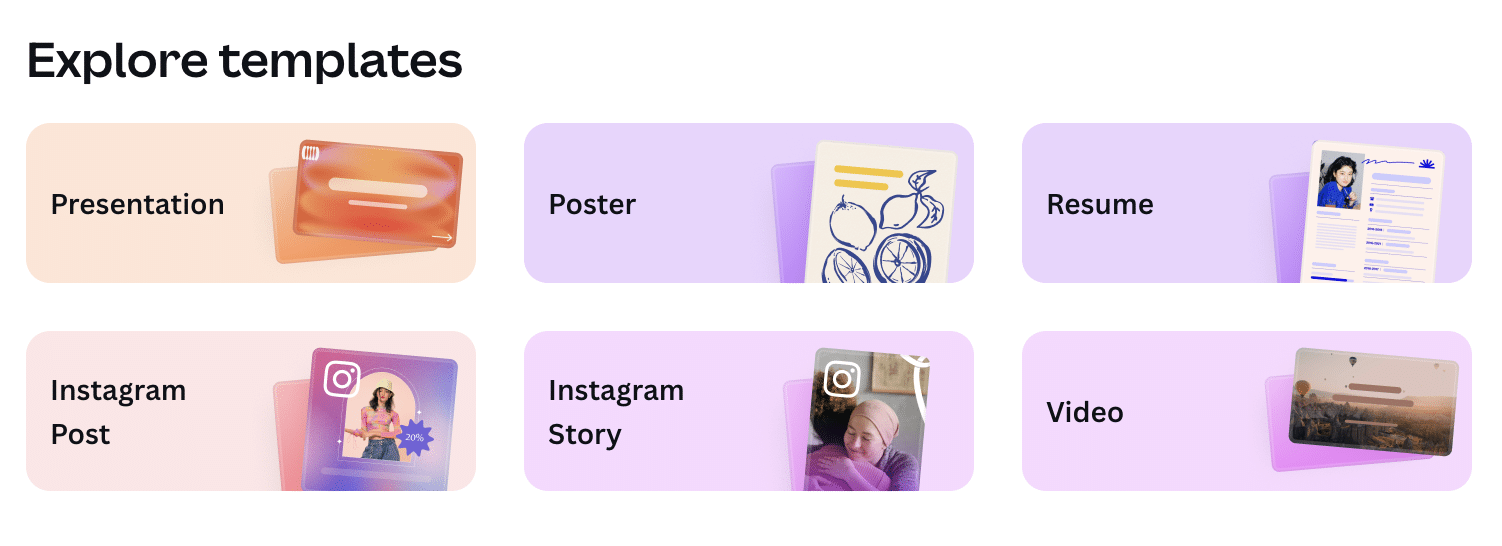
An example of templates in Canva.
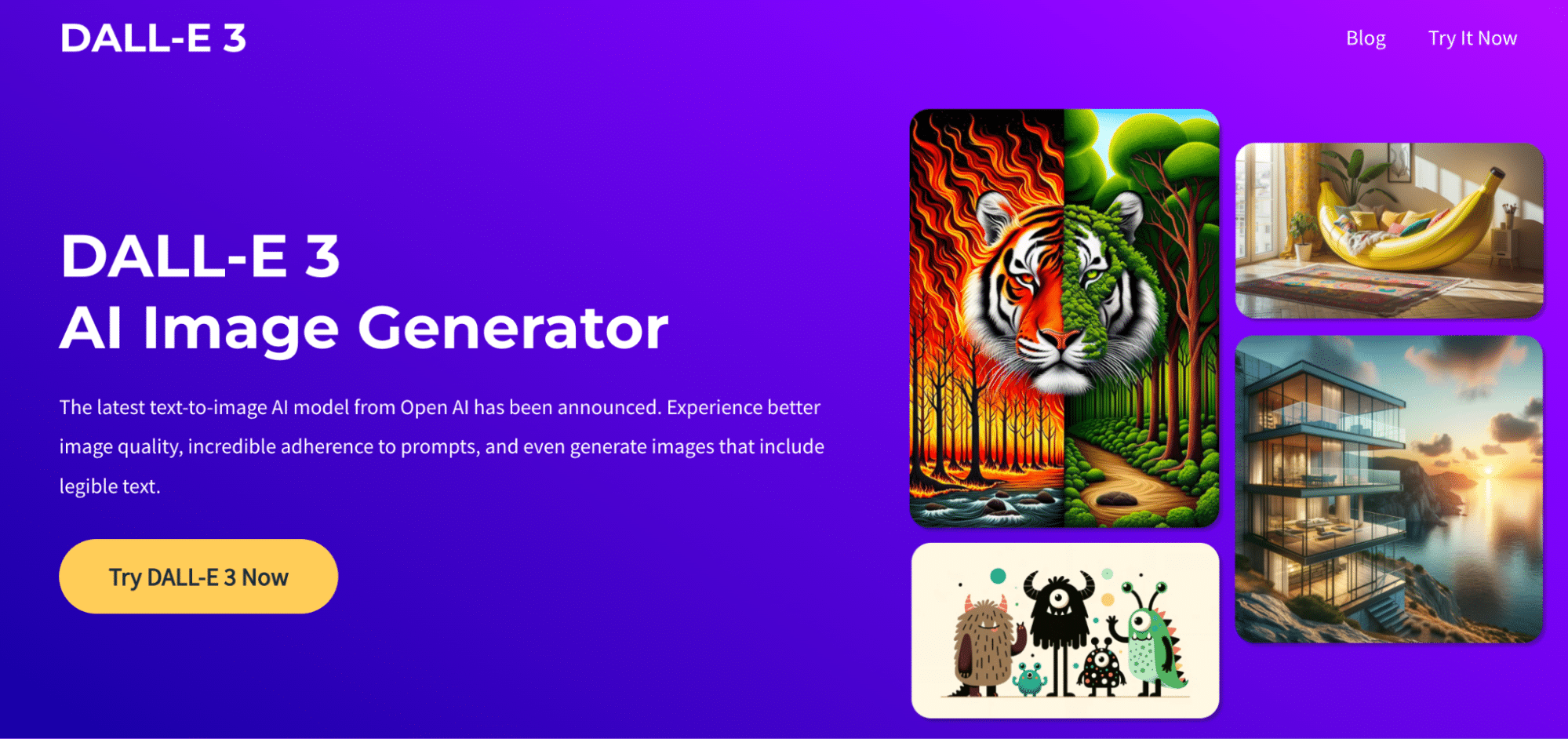
Dall-E
Midjourney AI
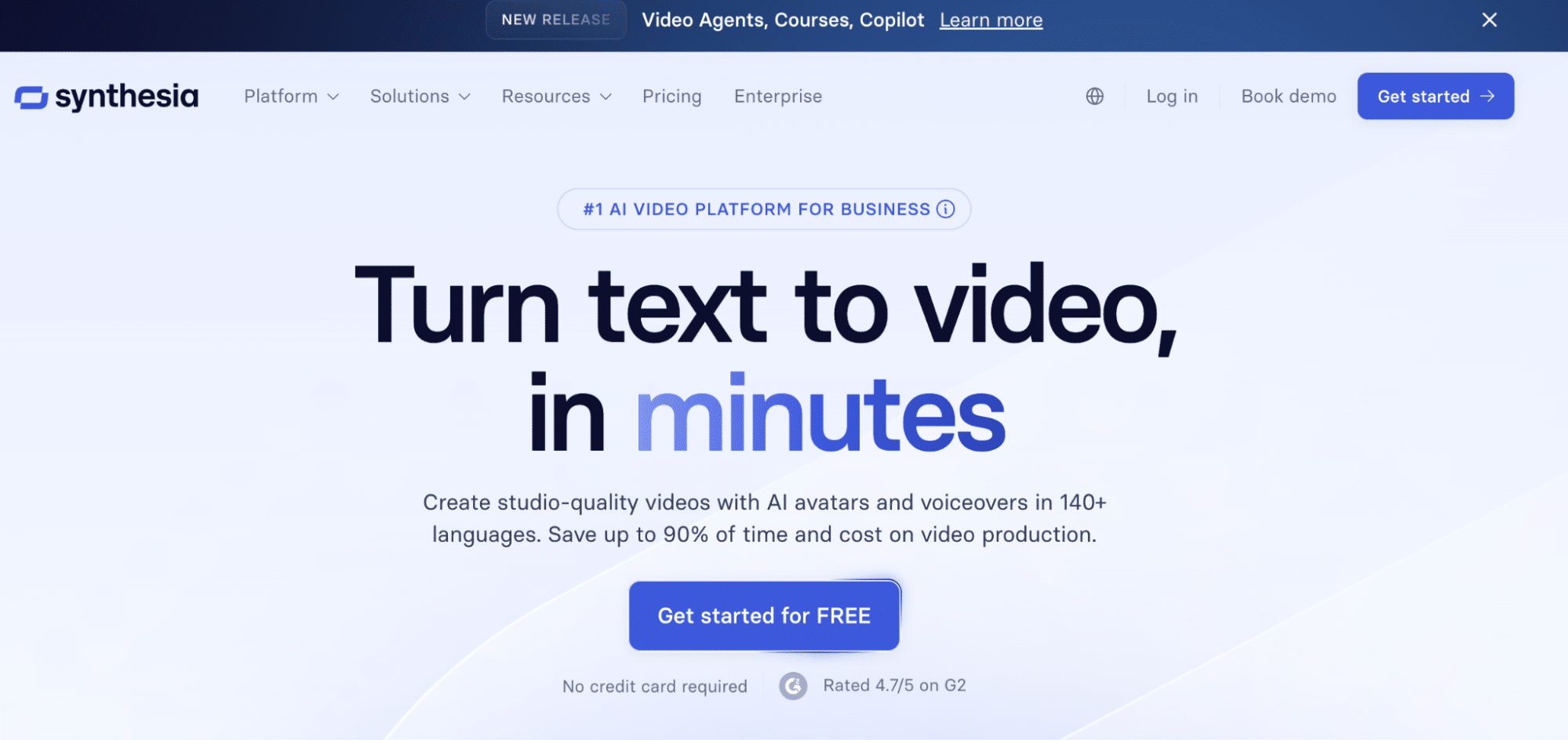
Synthesia AI
Consider creating custom GPTs to automate repetitive tasks
Custom GPTs (in ChatGPT) will save heaps of time by letting you build tailored assistants that follow your brand guidelines, reference stored documents or access research data. It’s just what you need for those small but time-consuming tasks like title tags, meta descriptions or turning big articles into bite-sized summaries.
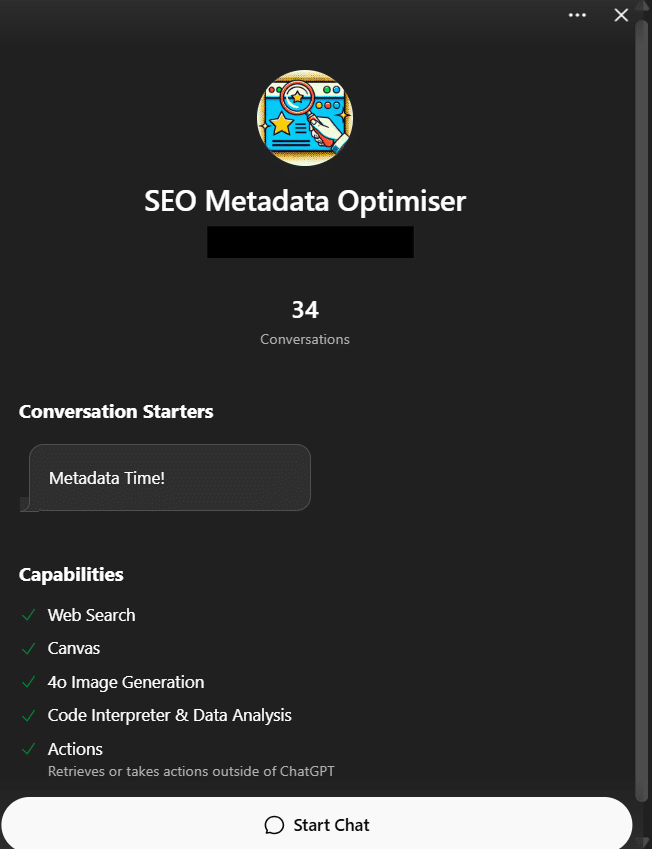
Sample GPT that can generate SEO-friendly meta descriptions (from the Rocket’s Custom GPT library).
Proofread for clarity and conciseness
Even the best AI-assisted writing needs a human touch. Run your draft through ChatGPT or Gemini to catch grammar slips or awkward phrases, but always do a final read yourself for tone and accuracy. Writing that’s clear and straightforward always beats something stiff or overcooked.
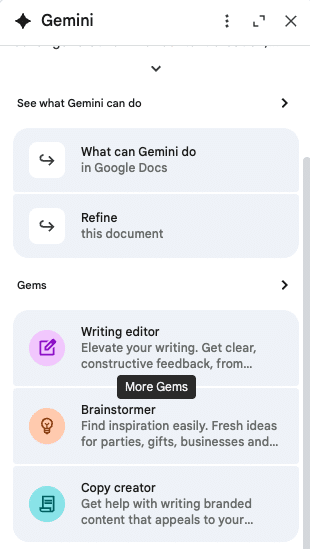
An example of Gemini’s capabilities in a Google doc.
Is AI-generated content bad for SEO?
Not at all, as long as it’s done right. AI-generated content isn’t bad for SEO if it’s useful, accurate and original. The problem comes when content is mass-produced, thin or purely written to game search rankings.
Google’s algorithms reward content that actually helps people, not just pages stuffed with keywords. In fact, well-edited AI-assisted posts can beat out low-quality, all-human content because they’re better organised, more data-driven and focused on what readers want.
Google doesn’t penalise AI-generated content, but…
Now, as you move on from researching and outlining with AI to actually writing and hitting publish, you might wonder if Google penalises AI-generated content.
The answer is no, as long as your writing follows Google’s E-E-A-T guidelines (Experience, Expertise, Authoritativeness and Trustworthiness), AI content can rank well.
You’ll see it’s not really about ‘AI vs. humans’. If it serves the user, it’s treated just like anything written by a genuine person.
To get more strategic with your marketing, read Google Search’s guidance on using gen AI content.
Final thoughts
It goes without saying, generative AI has fundamentally reimagined the way we research, write and communicate, but it works best when you use humans to review, question and elevate what the tech creates.
Bottom line? AI should support your team, not replace them. When you pair AI’s speed and scalability with your know-how, your brand’s generative AI content will always hit the mark.
At Rocket, we help businesses and agencies use AI responsibly through our OpenAI agency partner services. From workflow automation to AI-powered marketing, we’ll show your team how to put these tools to work the best way.
Keen to make the most of gen-AI to take your marketing to the next level? Our award-winning team would love to help. Get in touch today.
About the Author

Ash is Rocket's in-house Marketing Coordinator and the Producer of the Smarter Marketer Podcast. With a passion for marketing and sharp analytical skills, she excels at uncovering the hidden stories behind what drives marketing success.
Ash has worked with B2B SaaS companies in the FinTech and EdTech industries in Australia and India. She holds a Master of International Business degree from the University of Melbourne.
When not busy marketing Rocket, you'll likely find her brewing a delectable cup of chai.
Stay Ahead in Digital Marketing
Join 20K+ Marketers Who Get the Inside Scoop
Other Articles you might be interested in…